
V-Ray vs Lumion: In-Depth 2026 Comparison
 Kacper Staniul15 min read
In the architectural visualization world, Lumion and V-Ray are regarded as industry-leading rendering software tools.
While they may seem similar on the surface, they're fundamentally different under the hood.
Lumion is a biased renderer—by applying various optimization techniques and approximations ("biases"), it's able to produce visually appealing results relatively quickly. This speed comes at the expense of accuracy and realism though.
V-Ray, on the other hand, is an unbiased rendering engine that lets you achieve the highest accuracy and photorealism but the rendering times are significantly longer.
In short, you have to make an accuracy/speed tradeoff.
In this Lumion vs V-Ray comparison, we'll dive deeper into the pros and cons of each software, covering everything from features and ease of use to pricing and customer support.
We'll also throw in an AI renderer, MyArchitectAI, to the mix as a quick and lightweight alternative to the two heavy-weight tools.
Let’s get into the nitty-gritty.
Lumion vs V-Ray: Overview
Lumion was created by a Dutch company Act-3D and first released in 2010. It's mostly used for visualizing architecture, interior design, landscaping, and urban planning projects.
V-Ray, owned by the Bulgarian developer Chaos, was first launched back in 1997 and has since established itself as the leading high-end visualization software not just in architecture but also in film and video game production, industrial design, and product design. The company acquired another renderer, Enscape, in 2022.
Here's how Lumion vs V-Ray compare.
Let's now dive into each of these features in more detail.
Ease of use
Winner: Lumion
A key difference between V-Ray and Lumion is the ease of use.
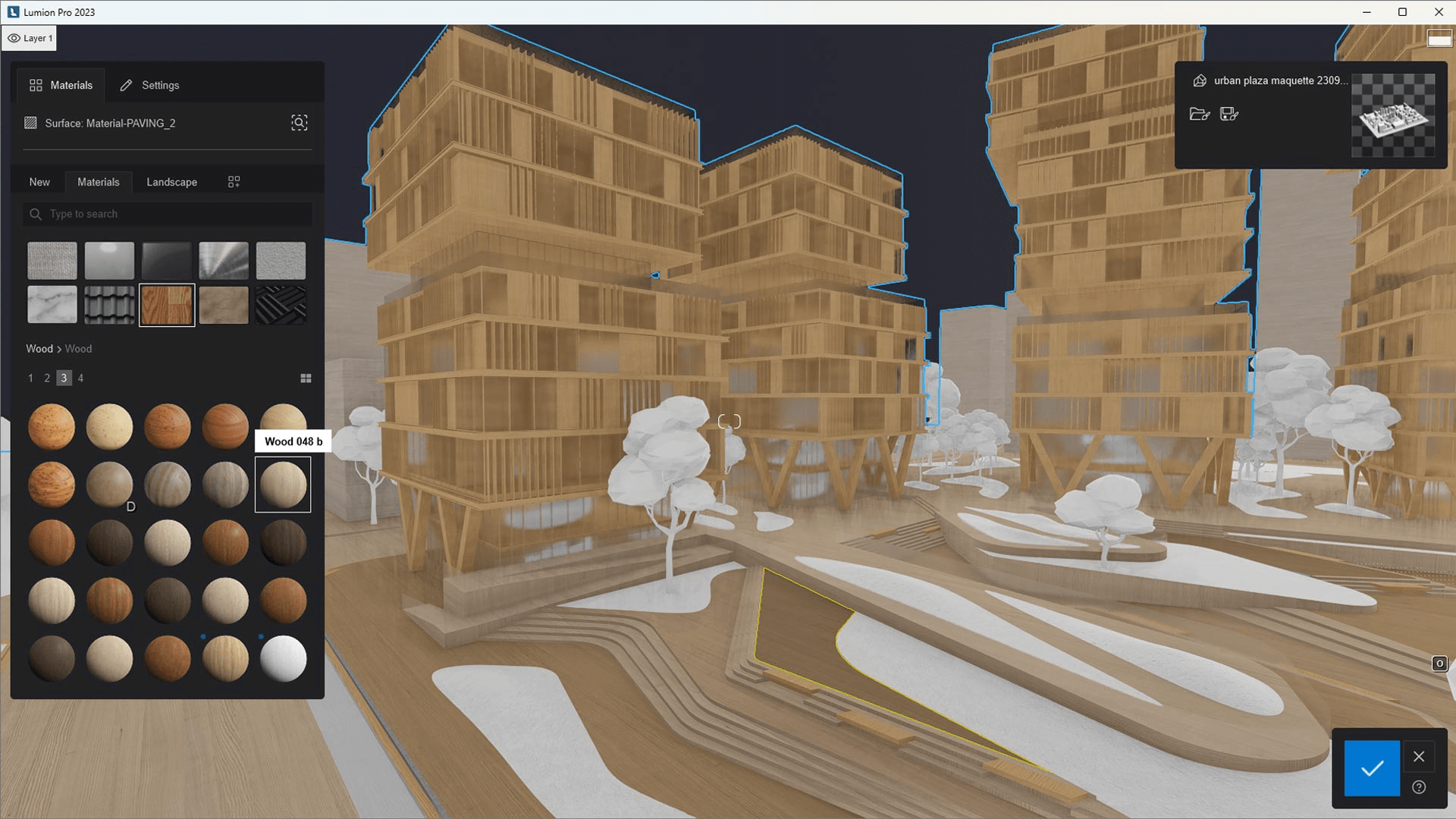
Lumion has an intuitive user interface and a preset-based workflow, which makes it relatively easy to pick up even for architects with no prior rendering experience.
While mastering the more advanced features and settings takes some time, the learning curve is still significantly lower than in V-Ray.
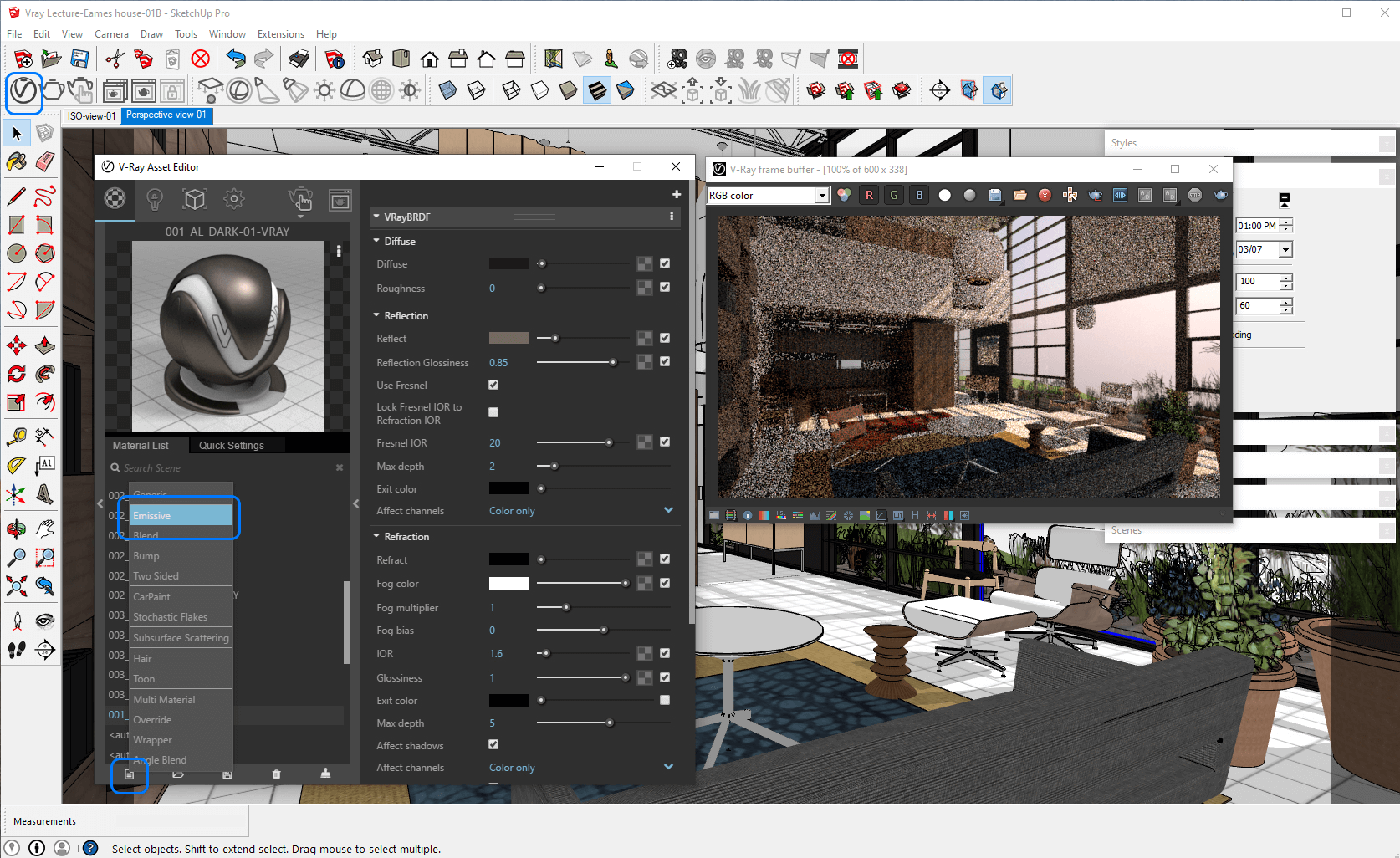
V-Ray is one of the hardest rendering software to learn and master because of its complexity.
Users often complain about how intimidating the user interface is and how much time it takes to understand optimal rendering settings. But of course, that's the result of the extensive customization options V-Ray offers, which make it an advantage for users who need the highest levels of realism and accuracy possible.
There are some great V-Ray rendering courses that will help you get up to speed, though.
Pricing
Winner: V-Ray
Both Lumion and V-Ray offer free trials, so you can test them with no commitment. Lumion has a 14-day trial, and V-Ray a 30-day trial.
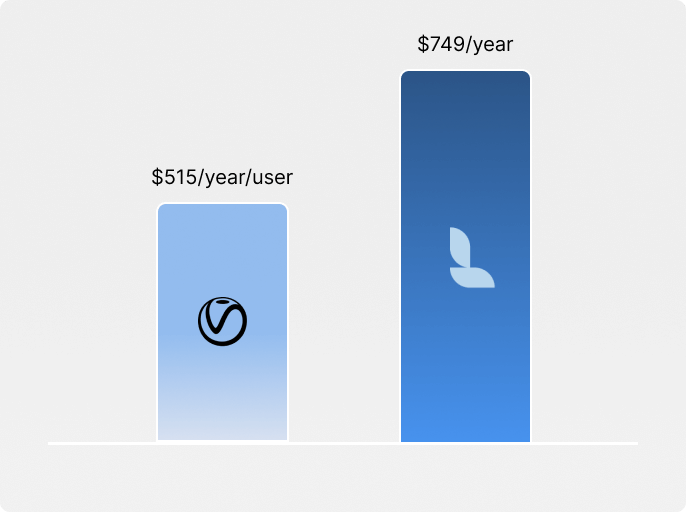
After that, Lumion's subscription plans range from $790 to $1,575 a year. The higher pricing tier offers more assets, as well as more rendering and atmospheric effects. No monthly plans are available.
V-Ray is cheaper than Lumion, with prices ranging from $515 to $719 a year. Compared to its competitor, it offers monthly plans that cost from $85 to $120 a month.
One nuance many people miss: V-Ray is made by Chaos Group, which also owns Enscape. If what you actually want is "V-Ray-quality stills + real-time walkthroughs in one ecosystem," Chaos sells the ArchDesign Collection (V-Ray + Enscape + asset library) as a bundle. That's a real alternative to picking up Lumion separately, especially if you're already a V-Ray user.
An even more affordable alternative to V-Ray, MyArchitectAI offers flexible subscriptions starting at $29/month, providing a very attractive price-to-value ratio.
For students, Lumion is completely free, and V-Ray costs $149/year.
Here's how the tools compare:
When evaluating the cost of CGI rendering tools, remember that the "cost" is not just the software. It's also the training and productivity loss related to implementing and using the new tool in your daily workflow.
Photorealism
Winner: V-Ray
While Lumion offers an impressive quality-to-speed ratio, the level of realism V-Ray lets you achieve in your renderings is hard to beat.
V-Ray's superiority comes from being a non-biased renderer that prioritizes physical accuracy and simulating light ray trajectories and bounces as precisely as possible. This results in accurate shadows, reflections, and refracted light.
V-Ray also handles material rendering better and enables more precise ambient light control.
To learn more about getting the most of ouf V-Ray, read our guide on the optimal render settings for realism.

Lumion "takes shortcuts" in computing shadows, bounced light, and reflections, which reduces rendering times but sacrifices realism. That said, it's still perfectly capable of producing impressive, presentation-ready renderings.
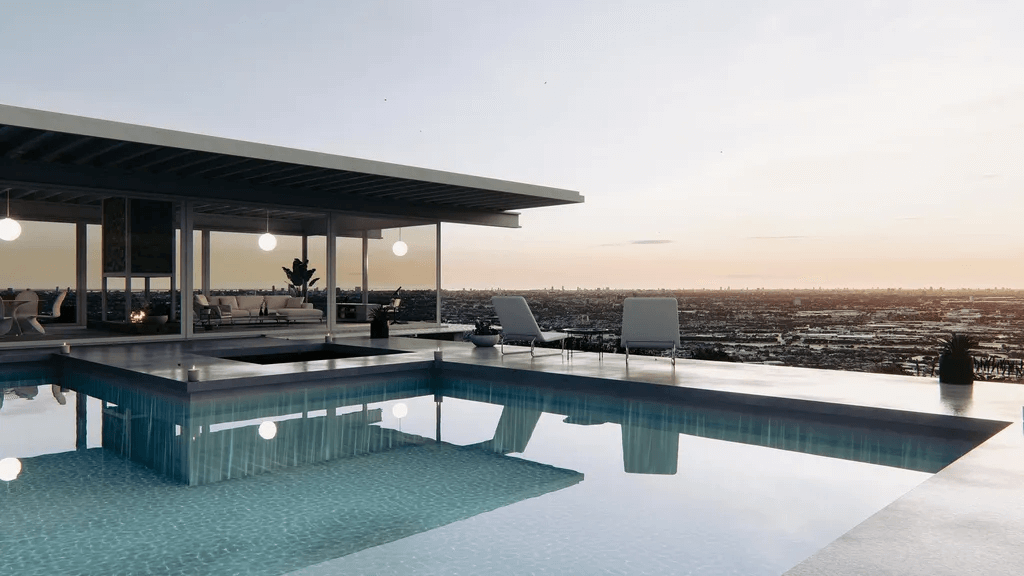
Lumion is generally considered stronger for exterior vs interior rendering though thanks to its extensive features for outdoor environments, especially high-quality landscape assets, including vegetation, vehicles, and environmental effects.
We go into more detail about these settings in our guide to getting photorealistic results in Lumion.
Many firms use a hybrid approach where they use Lumion specifically for exterior rendering, and Enscape, Twinmotion, or other Lumion alternatives for interior visualization.
So the choice between V-Ray vs Lumion comes down to whether you need the absolute highest photorealism or acceptable approximations for faster results.
Rendering times
Winner: Lumion
Lumion is an order of magnitude quicker than V-Ray.
Scenes that take Lumion seconds to minutes to render might take V-Ray minutes to even hours.
Such significant difference comes from their distinct approaches: Lumion uses approximations and shortcuts for faster results, while V-Ray calculates precise physics-based lighting for higher photorealism.
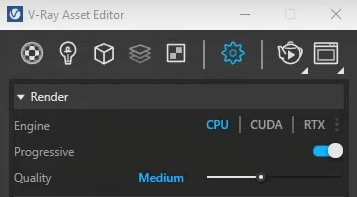
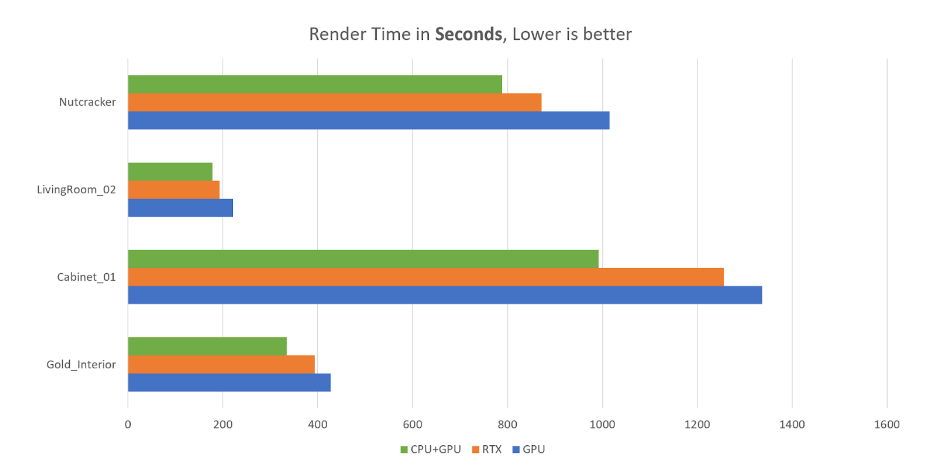
V-Ray gives you flexibility in terms of utilizing your hardware resources though, as you can pick from three rendering engines: CPU, GPU, and CUDA, depending on your project needs.
CUDA (hybrid mode combining CPU and GPU power) reduces rendering times by 21-34% compared to GPU-only rendering.
If spending hours on rendering one scene is out of the question, MyArchitectAI might be a better fit for you. Thanks to its AI rendering engine, it lets you visualize any scene in under 10 seconds, without sacrificing realism.
Features
Asset libraries
Winner: Lumion
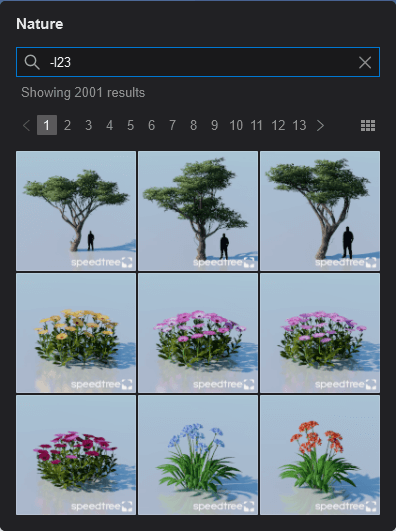
Lumion is often praised for its native library containing 9,496 quality assets that help you bring your scene to life. It offers quick access to a diverse range of objects, from trees and plants to decorations, appliances, furniture, vehicles, animals, and people. The library includes 1,545 diverse materials and textures.
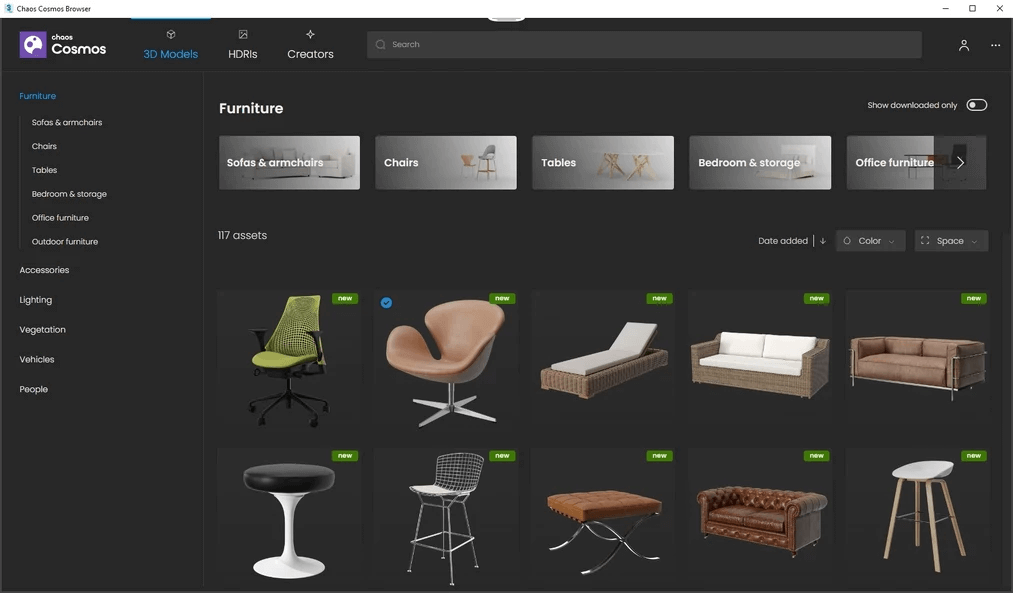
V-Ray doesn't have a built-in asset library but gives you access to Chaos Cosmos, a 3D content collection of over 6,000 models, materials, and HDRI skies that you can use across the Chaos ecosystem.
Asset quality in Chaos Cosmos is not as high as in Lumion though. The main issue is that assets come from multiple different vendors and their quality varies. So you can have a mix of good and not-so-good assets in one scene.
Another shortcoming is the navigation. Finding the right model is usually time-consuming because of the lack of tags and the categories not being specific enough.
Environmental controls
Winner: tie
Both V-Ray and Lumion offer comprehensive environmental controls that let you give your scenes the exact feel you're after, but require different amounts of effort to achieve it.
V-Ray offers more technical, physics-based controls for precise environment simulation, while Lumion focuses on user-friendly, preset-based options for quick atmospheric changes.
Similar to other differences between the renderers, it's an accuracy/speed tradeoff.
AI features
Winner: V-Ray
V-Ray is further along on AI. It has added three tools, which Lumion has only one so far. Also, while V-Ray's AI tools span materials, post-processing, and resolution, Lumion's AI covers only the final output stage.
V-Ray added a suite of cloud-based AI features in its 7.2 update, all currently in beta:
- AI Material Generator converts a photo of any real-world surface into a tileable PBR material with full texture maps.
- AI Enhancer identifies people, vegetation, and terrain in a finished render and adds detail without re-rendering. Advanced controls let you adjust traits like age and clothing on people assets.
- AI Upscaler enlarges low-resolution drafts up to 16K while sharpening textures. All three run through Chaos Cloud. Early forum feedback suggests the upscaler works well for presentations but can fall short of native full-resolution output on fine detail.
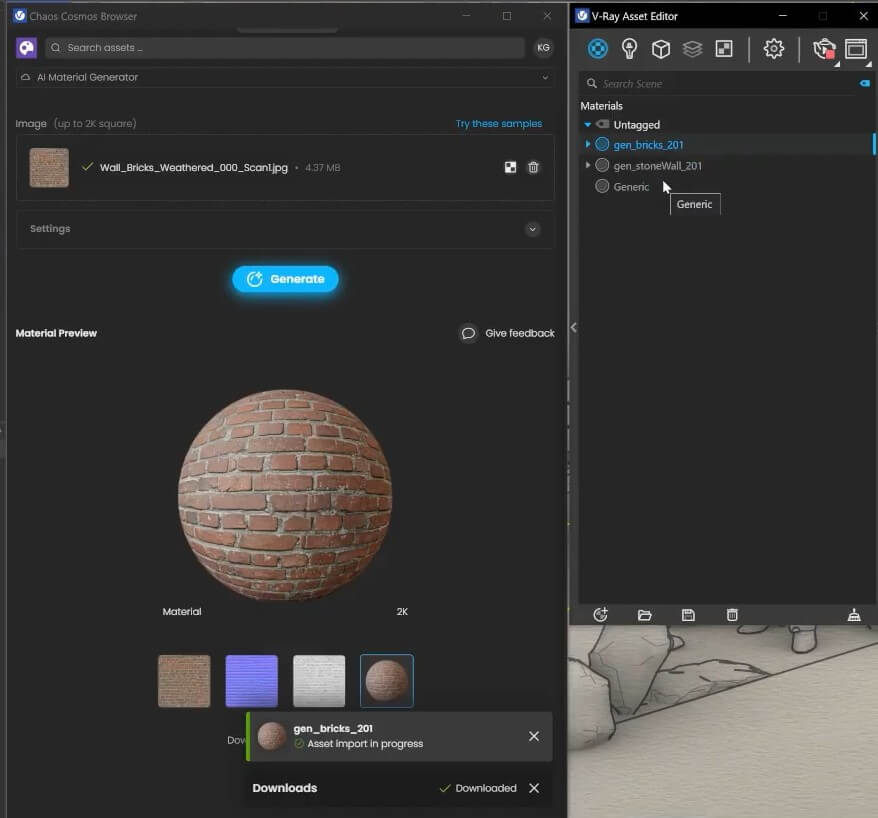
Lumion introduced a single AI feature in its 2025 release: a built-in image upscaler. It renders at half the target resolution and then upscales locally up to 8K, no cloud connection needed.
Lumion claims up to 5x faster ray-traced renders, particularly on machines with less than 12GB of VRAM. The trade-off is detail loss in low-contrast areas, according to Lumion's documentation. The company has called this "the first step" toward broader AI integration but hasn't announced specifics.
VR/AR Support
Winner: V-Ray
The main difference between the VR rendering capabilities of the two tools is that Lumion focuses on pre-rendered panoramic VR experiences, while V-Ray offers more technical control and real-time capabilities for VR output.
V-Ray Vision is a real-time viewer that allows team members and clients to immerse in VR experiences created in V-Ray. It generates spherical panoramas and quick output of both still frames and animation sequences and comes with its own auto-exposure, tone mapping, and color correction settings.
Here's an example VR tour.
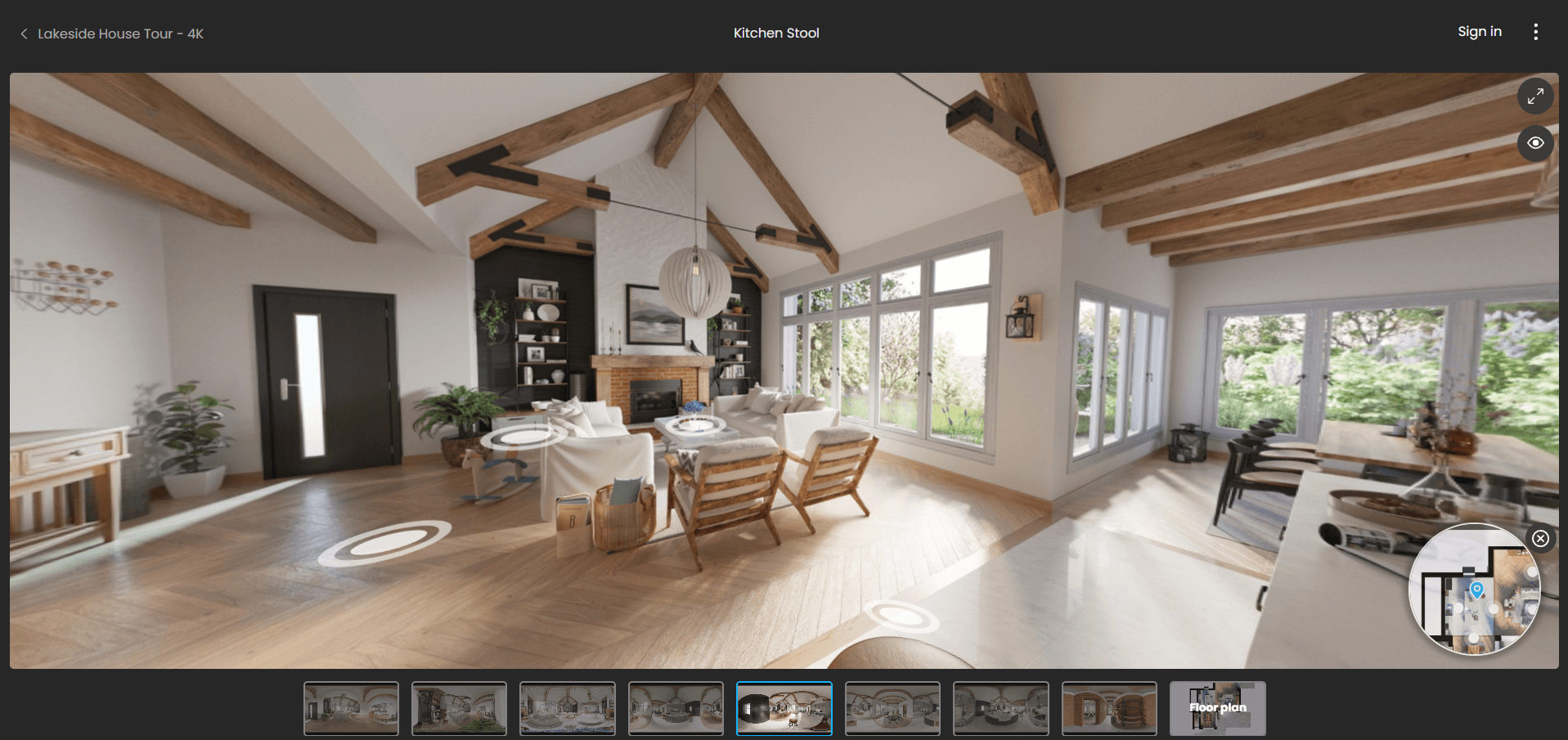
Lumion's VR features are more basic and VR headset compatibility is more limited. It does let you create 360 panoramas that are suitable for VR but the navigation and real-time adjustment settings are not as advanced as in V-Ray.
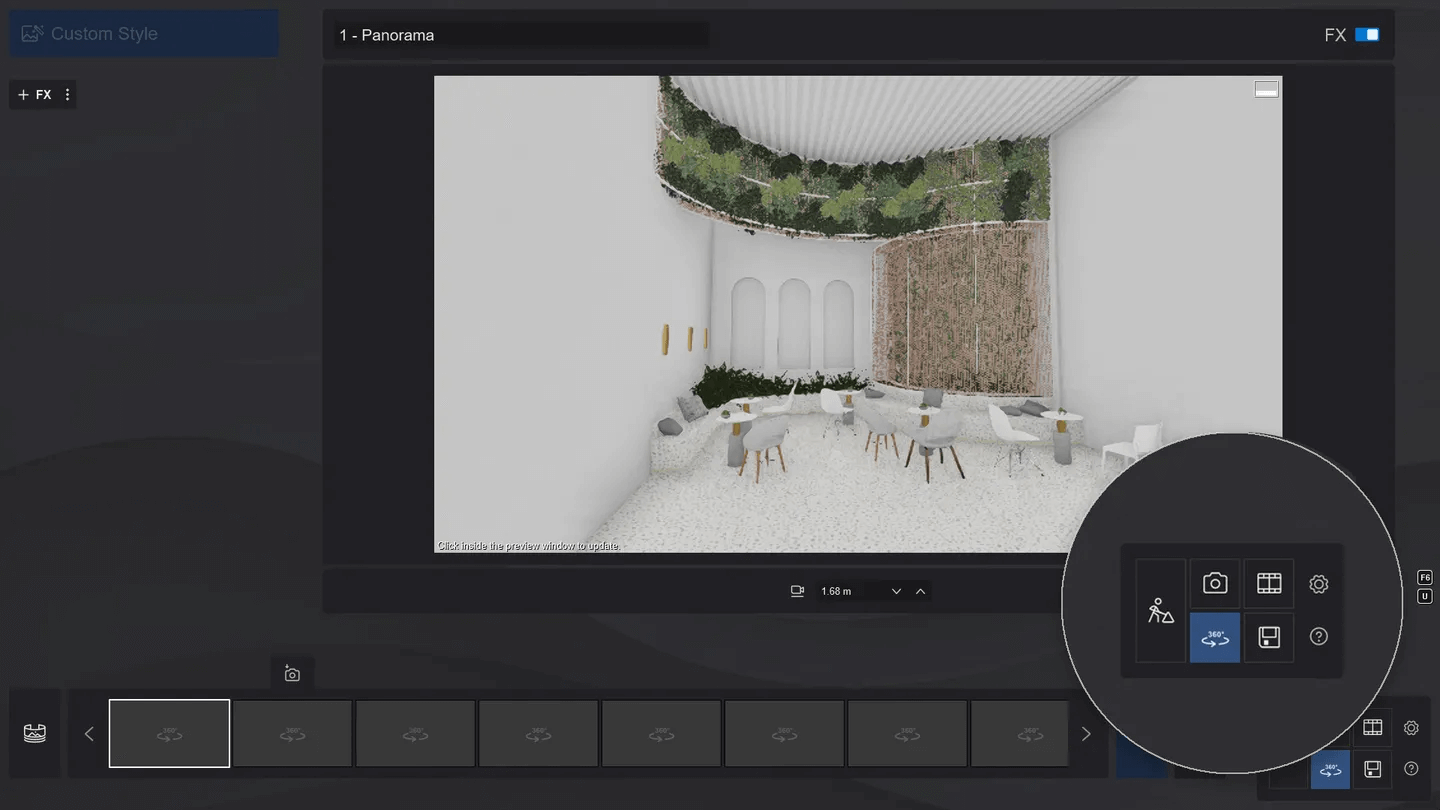
Here's how Lumion vs V-Ray VR capabilities compare:
Collaboration features
Winner: V-Ray
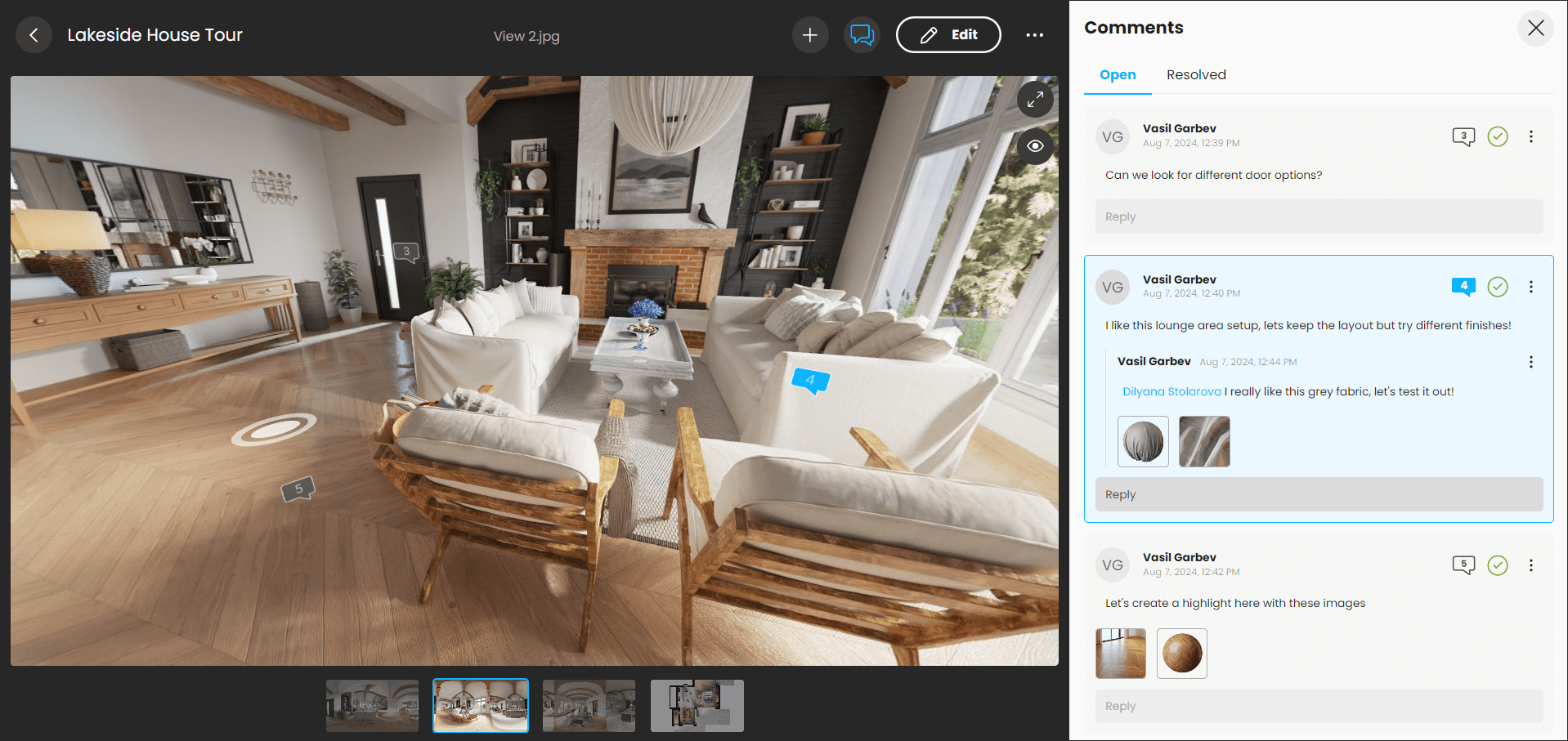
V-Ray offers more robust collaboration features than Lumion thanks to its Chaos Cloud Collaboration platform which gives users an easy way to share their work with other team members and clients, making the design review process more efficient.
With Cloud Collaboration, you can upload your renders right from V-Ray’s Frame Buffer to easily present your designs and collect feedback. The markup tools help reviewers highlight critical information and identify potential design issues early in the process.
V-Ray also made sure teams can collaborate efficiently across the Chaos ecosystem by introducing a one-directional bridge from Enscape to V-Ray that lets you transfer scenes between the two renderers within the same product environment. You can easily transfer materials, lights, and compatible 3D assets from Enscape without needing to recreate them from scratch. Then, replace them with superior materials to produce high-fidelity renderings needed in the final stages of the design process.
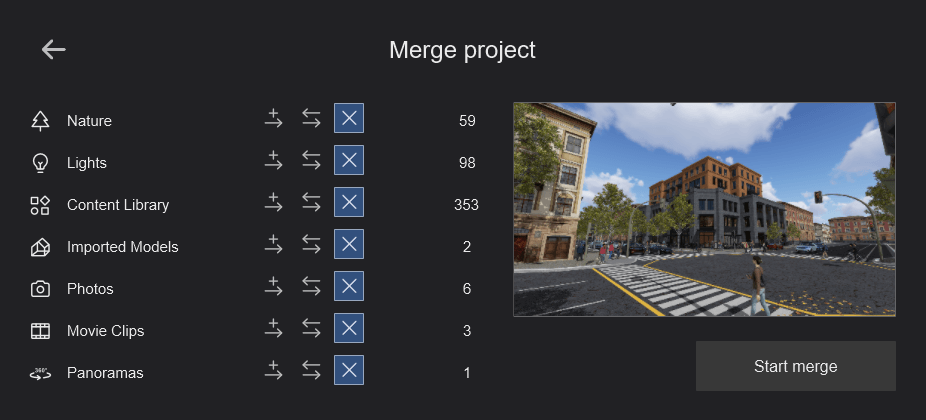
Lumion allows multiple team members to work simultaneously on different parts of a project (such as one person working on landscaping while another focuses on architecture) and combine separate project files into one final scene using the "merge" feature.
System requirements
Winner: Lumion
To achieve the highest quality renderings, you need high-performance hardware.
V-Ray has significant system requirements and works mostly on Windows computers. While you can use V-Ray on a Mac, you'll be limited to CPU and CUDA rendering, as V-Ray only supports Nvidia GPUs for GPU-based rendering.
Here are V-Ray's hardware requirements for Windows machines:
V-Ray also provides a free tool to let you check how fast you'll be able to render using your hardware.
Although calling Lumion a lightweight alternative to V-Ray would be an overstatement, it does require less computing power than V-Ray.
Here are Lumion's system requirements.
Similar to V-Ray, Lumion doesn't support Mac computers (unless you want to run it via Boot Camp, which isn't recommended).
The two tools hit hardware from opposite directions, which matters if you're spec'ing a workstation. V-Ray has both a CPU-based engine (V-Ray CPU) and a GPU-accelerated one (V-Ray GPU, built on CUDA). V-Ray CPU scales close to linearly with core count, which is why render farms traditionally stack Threadripper and Xeon builds. Lumion is pure GPU: it uses rasterization plus hardware ray tracing on RTX cards, and VRAM matters far more than CPU cores.
In practical terms: V-Ray-first work wants a 32-core-or-more CPU, Lumion-first work wants an RTX 4080 or 4090 with at least 16 GB VRAM, and one machine rarely covers both well. Larger studios often split their render nodes from their real-time preview machines for exactly this reason.
If you don't feel like investing substantial amounts of money into high-end hardware, MyArchitectAI is a lightweight alternative you should consider. This cloud-based renderer runs on any device (even mobile phones) and doesn't require any installs. Just log in using your browser and start creating.
Compatibility and integrations
Winner: tie
While both Lumion and V-Ray offer wide compatibility with most major CAD and BIM software, their integration methods are different:
- V-Ray integrates directly into CAD software as a plugin
- Lumion is a standalone tool that imports models from CAD software using its LiveSync technology
V-Ray integrates with 3ds Max, Cinema 4D, Houdini, Maya, Nuke, Revit, Rhino, SketchUp, and Unreal.
Lumion offers real-time synchronization through LiveSync with SketchUp, Revit, Archicad, Vectorworks, AutoCAD, Rhinoceros, BricsCAD, AutoDesk FormIT, and AllPlan. It supports DAE, SKP, FBX, DWG, DXF, glTF, 3DS, OBJ, and MAX file formats.
Customer support
Winner: tie
Lumion offers an extensive library of tutorials, a community forum, as well as technical support through their team and resellers.
V-Ray provides video tutorials and webinars, a community forum, and technical support from their team through a ticketing system.
Lumion vs V-Ray: Final thoughts
So which renderer is better—Lumion or V-Ray?
Since each of these tools is better suited for different needs, the choice ultimately depends on your specific project requirements.
Pick V-Ray if:
- You need the highest possible level of realism
- You already work in 3ds Max, Maya, or Rhino and want tight plugin integration
- You're fine with longer render times in exchange for output quality
- You're in visualization/archviz at a studio where photorealism is the deliverable
Pick Lumion if:
- Your main output is cinematic animations, walkthroughs, or client presentations
- You want fast iteration, see your scene in real-time rather than wait for renders
- You work on landscape, urban design, or master planning (Lumion's environment library shines here)
- You need deliverables on tight client timelines
Use both if: your work spans both high-quality stills and client-facing video, the combined subscription cost is often worth it, they complement rather than overlap. Many production studios run V-Ray for final stills and Lumion for motion and presentations.
For many firms, both tools will be an overkill though.
In these cases, MyArchitectAI is a lightweight alternative—it doesn't require any 3D modeling skills or installations and visualizes any scene in under 10 seconds. You can test it for free here.
Related articles
D5 Render vs. Lumion: In-Depth 2026 Comparison
D5 Render vs Lumion compared for 2026. Rendering quality, pricing, AI features, system requirements, and which tool fits your architecture workflow.
Twinmotion vs Lumion: In-Depth 2026 Comparison
Lumion vs Twinmotion compared: rendering quality, speed, pricing, asset libraries, and hardware requirements. Find the best fit for your projects.